
Essential for battery-based systems, these controllers—also known as maintainers or regulators—reveal why they are crucial. They efficiently manage power,
optimizing solar energy use for reliable off-grid performance and longevity.
What is an MPPT Charge Controller?
An MPPT (Maximum Power Point Tracking) charge controller is a sophisticated device that maximizes the energy harvested from solar panels to efficiently charge batteries. Unlike traditional PWM (Pulse Width Modulation) controllers, MPPT controllers don’t simply connect the solar panels directly to the battery. Instead, they intelligently convert excess voltage from the panels into current, ensuring the battery receives the optimal charge.
Think of it like a car’s transmission; it adjusts the ratio between speed and torque. MPPT controllers vary the voltage and current delivered to the battery, always aiming for maximum power transfer. This is particularly beneficial when panel voltage exceeds battery voltage, a common scenario in many solar setups. They monitor and adjust input to regulate current, preventing overcharging and extending battery life. Essentially, an MPPT controller unlocks the full potential of your solar panels, delivering significantly more power than simpler alternatives.
Why Use an MPPT Controller?
Employing an MPPT controller offers substantial advantages over traditional charge controllers. Traditional controllers simply transfer PV current directly to the battery, missing out on potential power gains. MPPT controllers, however, efficiently utilize the full power of your solar panels, especially when panel voltage surpasses battery voltage.
This efficiency translates to faster charging times, increased system output, and the ability to use more solar panels with a given battery bank. They limit output to prevent overcharging, safeguarding battery health and longevity. Furthermore, MPPT controllers are particularly valuable in colder climates or during periods of low sunlight, extracting every possible watt from your solar array. Investing in an MPPT controller is a smart choice for maximizing your solar energy investment and ensuring a reliable power supply.

Understanding MPPT Technology
Maximum Power Point Tracking (MPPT) dynamically adjusts voltage and current to extract maximum power from panels, unlike PWM which offers a fixed voltage.
Maximum Power Point Tracking Explained
MPPT controllers continuously scan your solar panel’s output to find the “maximum power point,” where voltage and current yield the greatest wattage. Think of it like a car’s transmission; it varies the ratio between speed and torque. At low gear, speed reduces, but torque increases. Similarly, MPPT varies the voltage and current delivered to the battery to maximize power transfer.
Solar panels produce varying voltage and current depending on sunlight and temperature. A traditional controller simply connects the panel directly to the battery, potentially wasting excess power. MPPT cleverly converts this excess voltage into current, or vice-versa, to optimally charge the batteries. This ensures you’re always getting the most energy possible from your solar array, even in less-than-ideal conditions. It’s a dynamic process, constantly adjusting to changing conditions.
Voltage and Current Conversion

MPPT controllers excel at converting excess voltage from solar panels into usable current for battery charging, and vice versa. When panels generate higher voltage than the battery requires, the controller efficiently steps down the voltage while simultaneously increasing the current. This is crucial because batteries need current to charge effectively.

Conversely, if the panel voltage is lower than the battery’s charging voltage, the controller boosts the voltage, drawing more power from the panels. This dynamic conversion process ensures optimal power transfer regardless of varying sunlight conditions. The controller monitors both voltage and current, constantly adjusting to maintain peak efficiency. This intelligent adaptation maximizes energy harvest, ensuring your batteries receive the most power possible from your solar array.

Efficiency Gains with MPPT
Compared to traditional PWM controllers, MPPT technology delivers significantly higher efficiency, often exceeding 93-97%. Traditional controllers simply connect the solar panel directly to the battery, losing potential power. MPPT, like a car’s transmission, varies the voltage and current ratio to maximize power delivery.
This means more energy is harvested from your solar panels, especially in suboptimal conditions like cloudy days or low light. The controller continuously tracks the maximum power point, ensuring the panels operate at their most efficient output. This translates to faster charging times, increased system performance, and a greater return on your solar investment. Utilizing the full potential of your panels, MPPT controllers minimize wasted energy and optimize overall system effectiveness.

MPPT Controller Features & Specifications
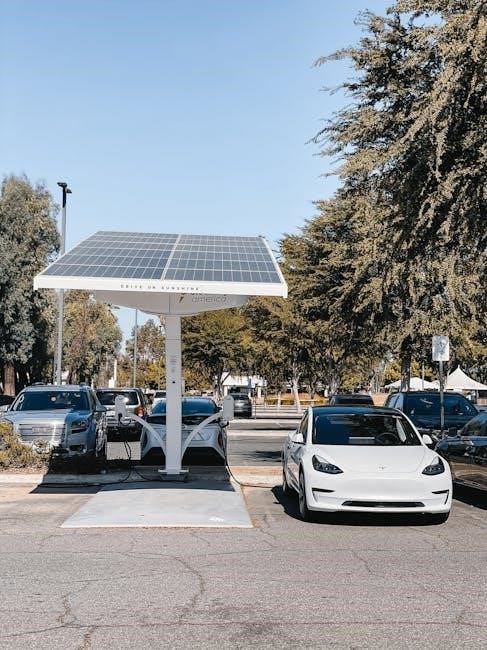
Key features include voltage ranges for both PV input and battery, alongside current ratings. Displays and monitoring options provide crucial system data for optimal performance.
Voltage Range (PV Input & Battery)
Understanding the voltage range is paramount for successful system integration. MPPT controllers accommodate a wide spectrum of solar panel voltages, typically ranging from 12V to over 100V, ensuring compatibility with various panel configurations. The input voltage must always exceed the battery voltage to enable efficient power transfer.
Battery voltage support commonly includes 12V, 24V, and 48V systems, with some advanced models handling higher voltages. It’s crucial to select a controller that precisely matches your battery bank’s nominal voltage. Exceeding the maximum input voltage can damage the controller, while insufficient voltage prevents charging.
Carefully review the controller’s specifications to confirm compatibility with both your solar panels and battery system. Proper voltage matching maximizes efficiency and safeguards your investment, ensuring long-term, reliable performance of your solar power setup.
Current Rating
The current rating of an MPPT controller dictates the maximum current it can handle from the solar panels. This is a critical specification, directly impacting the system’s overall power output and ability to charge batteries effectively. Selecting a controller with an adequate current rating is essential to avoid limitations and ensure optimal performance.
Determining the appropriate current rating requires calculating the short-circuit current (Isc) of your solar panel array. The controller’s current rating must exceed the array’s total Isc, providing a safety margin. Undersizing the controller can lead to power clipping, reducing energy harvest, while oversizing may increase costs unnecessarily.
Consider future system expansion when choosing a current rating. A slightly higher rating allows for adding more panels later without requiring a controller upgrade. Always prioritize safety and adhere to the manufacturer’s guidelines for current handling to prevent overheating and potential damage.
Display and Monitoring Options
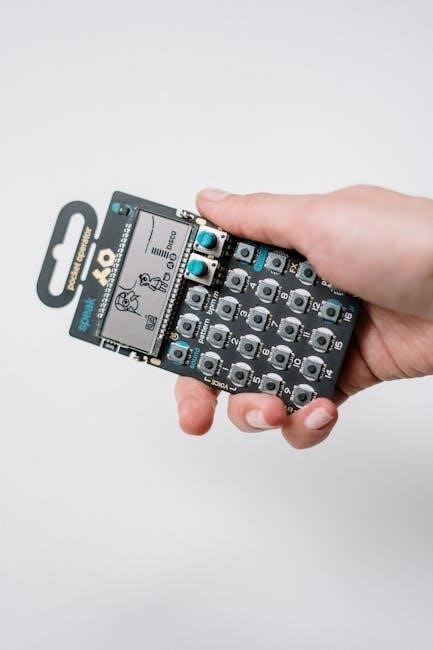
Modern MPPT charge controllers often feature integrated displays and monitoring capabilities, providing valuable insights into system performance. Basic models may include simple LED indicators showing charging status, while advanced controllers boast LCD screens displaying detailed information like voltage, current, power, and battery state of charge.
Many controllers offer data logging features, recording historical performance data for analysis. Some also support remote monitoring via Bluetooth or Wi-Fi, allowing users to track their system’s operation from smartphones or computers. This remote access is particularly useful for off-grid installations or systems in hard-to-reach locations.
Sophisticated monitoring systems can provide alerts for potential issues, such as low battery voltage or overcharge conditions, enabling proactive maintenance. Understanding these display features and monitoring options empowers users to optimize their solar power systems and ensure long-term reliability.

Installation and Wiring
Proper installation is key for optimal performance. Connect solar panels, batteries, and loads carefully, following the manual’s guidance for correct polarity and wire sizing.
Connecting Solar Panels
Before connecting, ensure the solar panels are positioned for optimal sunlight exposure. Refer to your MPPT controller manual for the specific voltage and current limits it supports. Connect the positive (+) terminal of the solar panel array to the positive (+) input terminal of the MPPT controller, and similarly, connect the negative (-) terminals.
Always use appropriately sized wiring to minimize voltage drop and ensure safe operation. The manual will specify the recommended wire gauge based on the distance between the panels and the controller, as well as the maximum current; Double-check all connections for tightness and correct polarity before proceeding. Incorrect wiring can damage the controller or the solar panels.
For multiple panels, you can connect them in series to increase voltage or in parallel to increase current, depending on the controller’s input specifications. The manual will detail the appropriate configuration for your specific setup. Remember to observe all safety precautions when working with electrical connections.
Battery Connection
Prior to connecting the battery, verify its voltage matches the MPPT controller’s specified input range. Incorrect voltage can cause damage. Connect the positive (+) terminal of the battery to the positive (+) output terminal of the MPPT controller, and the negative (-) terminals accordingly. Utilize appropriately sized cables, as recommended in the controller’s manual, to handle the expected current flow.
Ensure a secure and tight connection to prevent voltage drops and potential overheating. Fuses are crucial; install a fuse as close as possible to the battery’s positive terminal for overcurrent protection, adhering to the fuse rating specified in the manual. Double-check polarity before final connection – reversed polarity will likely destroy the controller.
The manual will also detail specific battery types supported (lead-acid, lithium-ion, etc.) and any necessary configuration settings for optimal charging. Always disconnect the solar panels before making or breaking battery connections to avoid sparks or electrical hazards.
Load Connection
The MPPT controller often features dedicated load terminals for powering DC appliances directly from the battery. Before connecting, confirm the load’s voltage requirements align with the battery voltage and the controller’s output specifications. Connect the positive (+) wire of the load to the positive (+) load terminal on the controller, and the negative (-) wires accordingly.
Similar to the battery connection, use appropriately sized wiring to handle the load’s current draw, referencing the controller’s manual for guidance. Many controllers offer programmable load control features, such as timers or voltage-based cut-off, to protect the battery from deep discharge.
Consult the manual to understand these settings and configure them appropriately for your specific load. A fuse should also be installed on the load circuit, close to the battery, for safety. Disconnect the solar panels before making load connections to prevent accidental shorts or damage.

Troubleshooting Common Issues
Addressing problems like low voltage, charging failures, or overcharge protection requires checking connections, verifying settings, and consulting the controller’s manual for solutions.
Low Battery Voltage
If your MPPT controller indicates low battery voltage, several factors could be at play. First, verify all connections between the solar panels, controller, and battery are secure and free from corrosion. Loose connections significantly impede current flow. Second, ensure the battery bank is appropriately sized for your load and solar input; an undersized battery will consistently show low voltage.
Next, check the battery’s state of charge using a multimeter. A deeply discharged battery may require a prolonged charging period, even with a fully functional MPPT controller. Inspect the solar panels for shading or debris, as reduced sunlight directly impacts charging efficiency. Finally, consult your controller’s manual for specific troubleshooting steps and error codes related to low voltage conditions; it may indicate a controller malfunction or incorrect settings requiring adjustment.
Remember to always disconnect the load during troubleshooting to isolate the issue and allow the controller to focus solely on charging the battery.
No Charging Indication
When an MPPT controller displays no charging indication, a systematic approach to troubleshooting is essential. Begin by confirming solar panel input; use a multimeter to measure voltage and current from the panels under sunlight. Insufficient sunlight or panel issues are common causes. Verify the controller’s settings are correctly configured for your battery type and voltage – incorrect settings can prevent charging.
Next, inspect the wiring between the panels and controller, looking for breaks, loose connections, or corrosion. A faulty wire can interrupt the charging process. Check the controller’s fuse; a blown fuse will immediately halt charging. Review the controller’s manual for specific error codes or diagnostic procedures related to ‘no charging’ scenarios.
If the issue persists, temporarily disconnect the battery and re-check the panel input to the controller, isolating the battery as a potential problem.
Overcharge Protection
MPPT charge controllers incorporate robust overcharge protection mechanisms to safeguard batteries from damage. These systems constantly monitor battery voltage, and when a pre-set voltage threshold is reached, charging is automatically curtailed or ceased. This prevents gassing, overheating, and potential reduction in battery lifespan.
Different controllers employ various overcharge protection strategies, including reducing charging current proportionally to voltage, switching to float charge, or completely disconnecting the solar panels. Consult your controller’s manual to understand its specific overcharge protection method and adjustable settings.
Regularly verify the accuracy of the overcharge voltage settings, ensuring they align with your battery manufacturer’s recommendations. Inspect the controller’s temperature sensor (if equipped), as temperature compensation affects charging voltage. A malfunctioning sensor can lead to inaccurate overcharge protection.